

Fast, One-ClickVX Guestbook Hosting
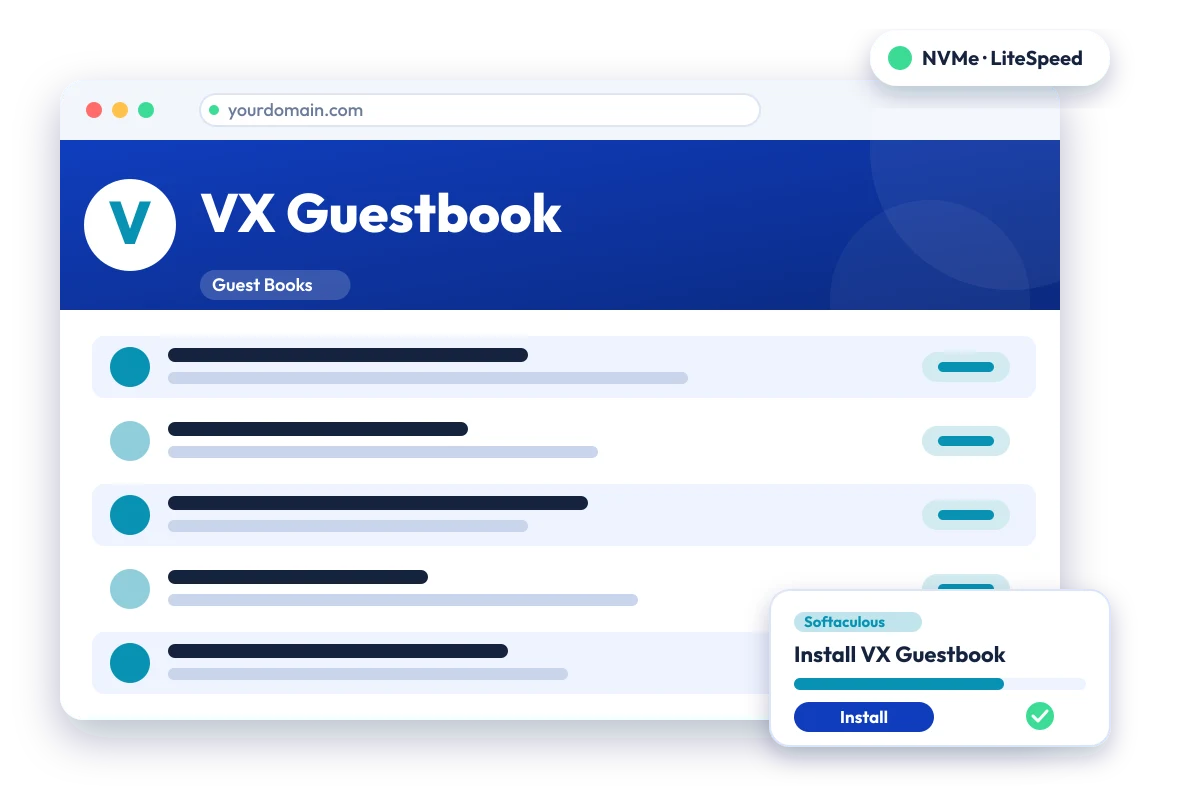
Free PHP and MySQL guestbook script with templates and spam controls. Install VX Guestbook in one click with the Softaculous installer on cPanel NVMe hosting: LiteSpeed, free SSL, daily backups and 24×7 support. From ₹129.00/mo billed triennially.
1-Click VX Guestbook
Live in minutes
NVMe + LiteSpeed
Fast page loads
Free SSL & Backups
Secure by default
cPanel NVMe Hosting Plans for VX Guestbook
Pick a server region and a plan, then install VX Guestbook from Softaculous in one click. Prices are live from our billing system.
Starter
First site, blogs, portfolios
- 10 GB NVMe Storage (RAID1)
- 1 Website
- 1 GB RAM · 1 core
- Unlimited bandwidth, email & MySQL
- Free Let's Encrypt SSL & free migration
- LiteSpeed Enterprise + LSCache
- Imunify360 · KernelCare · CageFS
- Daily JetBackup backups
- cPanel · Softaculous (400+ apps)
- 24×7 support · 99.99% uptime
Smart
Small business, a few projects
- 30 GB NVMe Storage (RAID1)
- 5 Websites
- 2 GB RAM · 2 cores
- Unlimited bandwidth, email & MySQL
- Free Let's Encrypt SSL & free migration
- LiteSpeed Enterprise + LSCache
- Imunify360 · KernelCare · CageFS
- Daily JetBackup backups
- cPanel · Softaculous (400+ apps)
- 24×7 support · 99.99% uptime
Business
Agencies and growing stores
- 75 GB NVMe Storage (RAID1)
- 25 Websites
- 3 GB RAM · 3 cores
- Unlimited bandwidth, email & MySQL
- Free Let's Encrypt SSL & free migration
- LiteSpeed Enterprise + LSCache
- Imunify360 · KernelCare · CageFS
- Daily JetBackup backups
- cPanel · Softaculous (400+ apps)
- 24×7 support · 99.99% uptime
Enterprise
High-traffic, large portfolios
- 150 GB NVMe Storage (RAID1)
- Unlimited Websites
- 6 GB RAM · 4 cores
- Unlimited bandwidth, email & MySQL
- Free Let's Encrypt SSL & free migration
- LiteSpeed Enterprise + LSCache
- Imunify360 · KernelCare · CageFS
- Daily JetBackup backups
- cPanel · Softaculous (400+ apps)
- 24×7 support · 99.99% uptime
Every plan runs on enterprise NVMe storage in RAID1 with per-account CloudLinux limits. Prices are pre-GST with no setup fee; the same plans and prices apply in India, France, Poland, Canada and Singapore. 30-day money-back guarantee.
What is VX Guestbook?
VX Guestbook is a free guestbook script written in PHP that stores entries in MySQL. Site owners add it to a website so visitors can leave messages. It supports templates, CAPTCHA, moderation and ban controls. It is published by phpversion.com, and the current release listed there is 1.07.
Built with: PHP + MySQL · Official site: phpversion.com
Common uses
- Visitor guestbook for a personal website
- Feedback page for a small business site
- Moderated message board for a club or event
VX Guestbook requirements
- PHP: PHP 4.4.4 (tested) or PHP 5.2.5+ with GD 2 and MySQL extensions, per the developer site
- Database: MySQL 4.0.16 or newer (per the developer site)
- GD 2 PHP extension
- MySQL PHP extension
- phpMyAdmin or another MySQL manager recommended
VX Guestbook is a small PHP and MySQL script that needs no special server access. Its documented requirements are from the PHP 4 and 5.2 era, so behaviour on current PHP versions should be tested after installation.
Why host VX Guestbook with Hostripples
- One-click VX Guestbook install from Softaculous inside cPanel, with no manual upload or database setup
- All-NVMe storage and LiteSpeed Enterprise with LSCache for quick page loads
- Selectable PHP versions per site and CloudLinux account isolation with CageFS
- Free SSL, daily JetBackup backups and Imunify360 malware protection
- Free migration of an existing VX Guestbook site, and 24×7 support in English, Hindi and Marathi
VX Guestbook features
What VX Guestbook offers
CAPTCHA and word censor
Visual code confirmation and a word-censoring list help reduce spam and abusive entries.
Admin validation
The administrator can approve entries before they appear publicly.
Templates and languages
Output is template-driven and language packs are available.
Flood and ban control
Flood protection and bans by IP address or email are included.
Backup and search
It offers browser-based database backup and a search function for entries.
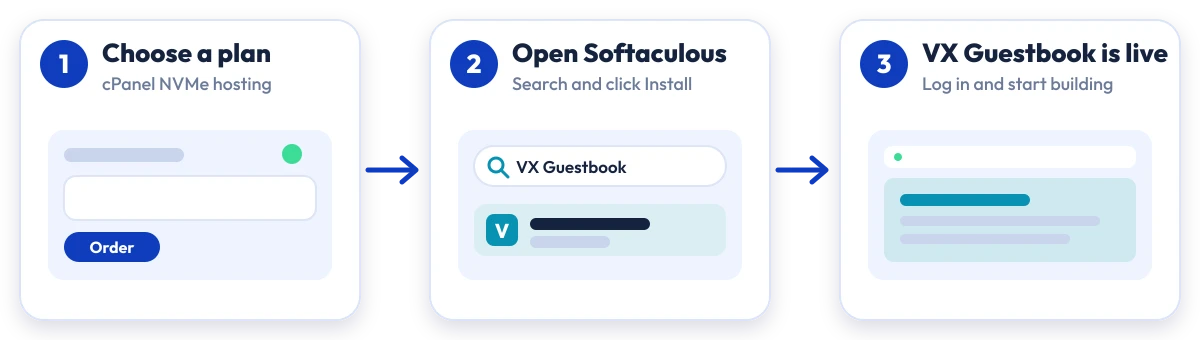
Install VX Guestbook in four steps
No manual upload or database setup: Softaculous does it from your cPanel.

Plan
Choose a cPanel NVMe plan and server region

cPanel
Log in to cPanel and open Softaculous Apps Installer

Install
Search for VX Guestbook, click Install and fill in the form

Launch
Open your new VX Guestbook site and start building
Compare with other apps
People who look at VX Guestbook often compare it with:
More Guest Books you can install in one click:
VX Guestbook Hosting: Frequently Asked Questions
Everything you need to know
Still have questions?
Our support team is live 24/7 in English, Hindi & Marathi.
Ready to launch VX Guestbook?
Pick a cPanel NVMe plan and install VX Guestbook in one click. Free SSL, free migration and 24×7 support included.